Optimizing Digital Work: How Cloud Storage, File Sharing, and Online Tools Boost Productivity
Dec 14, 2025 04:08 PM
Leandro Neto
Optimizing Digital Work: How Cloud Storage, File Sharing, and Online Tools Boost Productivity
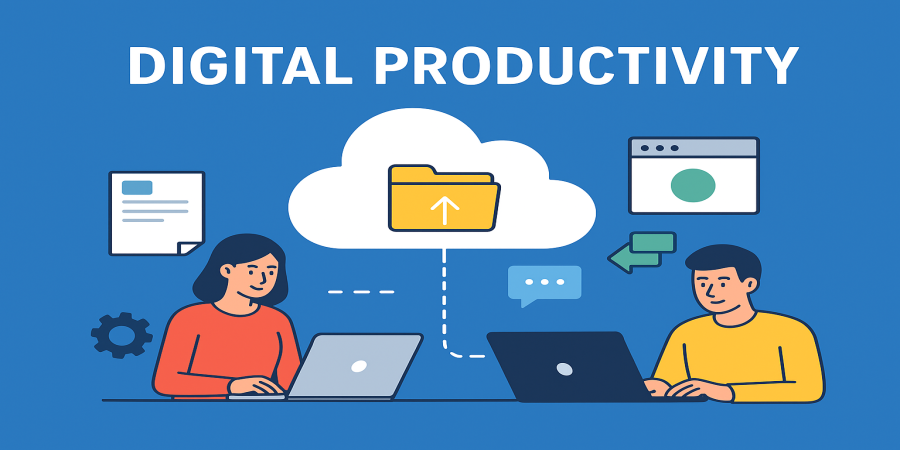
In today’s world, the way we work and connect has changed dramatically. The rise of digital technology has transformed both corporate and personal environments, requiring efficient solutions for storing, sharing, and organizing information. Modern tools in Cloud Storage, File Sharing, and Online Tools have not only simplified processes but also significantly increased Digital Productivity, helping professionals and teams work smarter. Additionally, the Software & Internet ecosystem ensures these solutions operate seamlessly and securely, creating a robust digital environment.
Cloud Storage: The Foundation of Digital Organization
Cloud Storage has become essential for businesses and individuals seeking flexibility, security, and efficiency in managing files. Platforms like Google Drive, Dropbox, OneDrive, and iCloud offer reliable solutions for storing documents, images, videos, and entire projects without relying on physical devices.
Key Benefits of Cloud Storage
-
Remote Access: With cloud storage, you don’t need to be physically in the office or carry USB drives. A stable internet connection allows you to access files anytime, anywhere, from computers, tablets, or smartphones.
-
Enhanced Security: Cloud services use advanced encryption, automatic backups, and security protocols to protect critical information from loss or theft.
-
Integration with Other Tools: Many cloud services connect with productivity apps, including word processors, spreadsheets, project management software, and communication tools.
Moreover, cloud storage is crucial for geographically distributed teams, allowing all members to access necessary files in real time, avoiding duplicates, and optimizing workflows.
Suggested Subcategory: “File Backup and Recovery” – highlighting solutions that protect essential data and quickly restore files in case of loss.
File Sharing: Simplifying Collaboration
Collaboration is a cornerstone of digital productivity, and File Sharing makes it effortless. Previously, sending large files via email was slow and insecure. Today, shareable links and customizable permissions streamline the process efficiently.
Advantages of File Sharing
-
Real-Time Collaboration: Documents, spreadsheets, and presentations can be edited simultaneously by multiple users, eliminating rework and improving communication.
-
Access Control: You can determine who can view or edit files, ensuring privacy and security.
-
Reduced Redundancy: Everyone works on a single version of a document, avoiding multiple scattered versions.
Tools like WeTransfer, Dropbox Share, Google Drive, and Microsoft OneDrive allow quick and secure transfer of files of any size. This functionality is especially valuable for businesses dealing with large volumes of data or multimedia files.
Alternative Subcategory: “Secure File Transfer” – focusing on solutions that provide speed and security for sending sensitive or large files.
Online Tools: Digital Solutions that Enhance Productivity
Beyond storage and sharing, modern digital work requires Online Tools to streamline tasks and simplify complex processes. Online tools offer solutions for communication, project management, content creation, and task automation.
Examples of Essential Online Tools
-
Google Workspace: Includes Docs, Sheets, Slides, Gmail, and Google Meet, enabling teams to create, share, and edit documents in real time.
-
Trello and Asana: Project management platforms that help organize tasks, track deadlines, and monitor progress visually.
-
Canva and Figma: Design and prototyping tools that allow users to create visual content without complex software.
-
Notion: A platform combining notes, task management, databases, and collaboration, ideal for organizing information and workflows.
Benefits of Online Tools
-
Increased Efficiency: Automate repetitive tasks, freeing time for strategic work.
-
Enhanced Collaboration: Teams can work cohesively regardless of location.
-
Flexibility: Accessible directly through browsers without complex installation or hardware requirements.
Suggested Subcategory: “Task Automation” – emphasizing how bots, scripts, and platform integrations save time and reduce human error.
Software & Internet: The Ecosystem That Supports Everything
For Cloud Storage, File Sharing, and Online Tools to function effectively, a strong Software & Internet ecosystem is essential. Modern operating systems, updated browsers, and stable internet connections ensure that digital resources are fully utilized.
Key Aspects of Software & Internet
-
Compatibility: Tools must work across devices, operating systems, and browsers.
-
Regular Updates: Keeping software updated ensures security, performance, and access to new features.
-
Accessibility and Stability: Reliable internet is crucial for real-time collaboration and remote file access.
Businesses investing in robust IT infrastructure can better integrate these solutions, boosting productivity and digital security.
Digital Productivity: The Result of Integrating All Tools
When Cloud Storage, File Sharing, Online Tools, and a solid Software & Internet setup work together, the result is optimized Digital Productivity. Professionals can organize tasks, collaborate without geographical barriers, protect critical information, and execute processes efficiently.
Strategies to Boost Digital Productivity
-
Centralize Files in the Cloud: Avoid scattering documents across devices and platforms.
-
Share Links Instead of Attachments: Simplifies collaboration and ensures everyone works on the same document version.
-
Automate Repetitive Tasks: Integrate platforms to reduce manual work and errors.
-
Keep Software Updated: Enhances security and access to new features.
-
Plan Digital Workflows: Use management tools to organize deadlines, responsibilities, and processes.
By implementing these strategies, individuals and organizations can transform their workflows, making processes faster, safer, and more efficient.
Conclusion
The digital age brings both challenges and opportunities. Tools in Cloud Storage, File Sharing, and Online Tools, combined with a strong Software & Internet environment, are essential for improving Digital Productivity. They not only facilitate storage and file sharing but also enhance collaboration, security, and task automation.
Investing in these solutions is an investment in efficiency, innovation, and competitiveness. Professionals and teams who master these tools can not only meet modern demands but also create a more organized, collaborative, and productive work environment.
In summary, the smart integration of these categories is the key to success in the digital world: working with focus, efficiency, and measurable results.
Login or create account to leave comments
Popular articles
Optimizing Digital Work: How Cloud Storage, File Sharing, an...
Dec 14, 2025 04:08 PM

Upload and Share Your Files with Ango Files
Dec 14, 2025 03:45 PM

Best Secure Cloud Storage for Business in 2026
Jan 17, 2026 11:19 AM

Best Free Cloud Storage Services in 2026
Apr 03, 2026 07:01 AM

How to Send Large Files Over the Internet for Free (Complete...
Mar 30, 2026 05:19 PM
Categories
Comments (0)